
Understand the facility.
Inspect equipment in 3D. Explore cutaways, assemble and disassemble the plant, and follow the guided operating journey.
Explore the workflowSYNTHESIS FOR MAC · APPROVAL-ONLY BETA
Explore the plant. Follow the process. Keep the experiment.
A dedicated desktop environment for the guided GFIS facility, synthetic process studies and local experiment memory.
Apple Silicon · macOS 13+ runtime · Version 0.3.0-preview.1
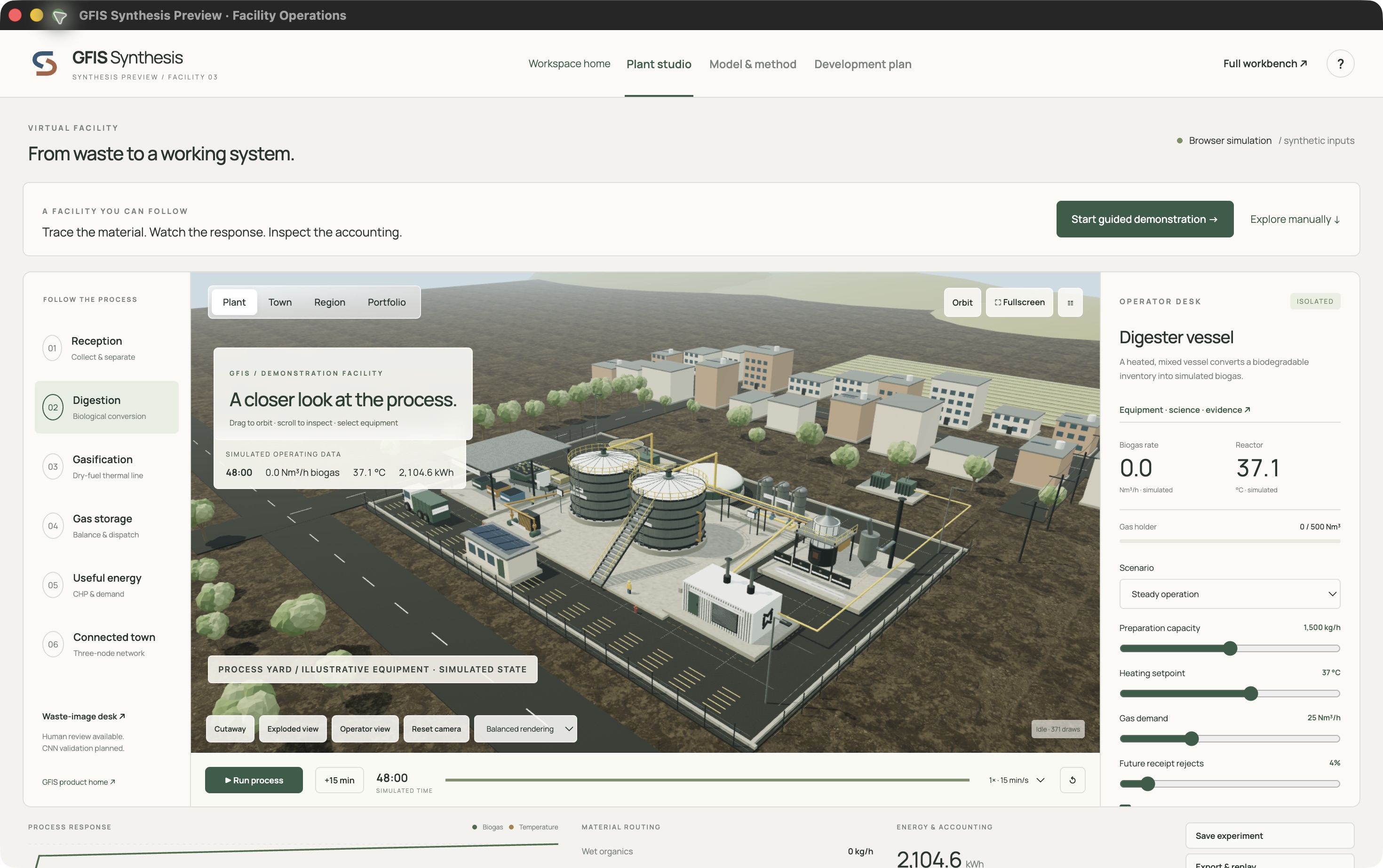
Actual application interface. Synthetic process state.
A considered beta release. Access is reviewed before an installer is provided.
A CONNECTED VIEW OF THE PROCESS
Move through reception, digestion, a separate gasification line, storage, useful energy and connected-town scenarios. See how assumptions become a response—and keep the evidence behind it.
Inspect equipment in 3D. Explore cutaways, assemble and disassemble the plant, and follow the guided operating journey.
Explore the workflowChange inputs, inspect state and run a 48-hour synthetic study. Equations and model limits stay alongside the result.
Understand the studiesSave experiments on your Mac, export portable JSON and replay a command history with consistency checks.
Learn about memoryONE PRODUCT. DISTINCT WORKSPACES.
The Mac beta focuses on the synthetic facility. The full GFIS workbench and protected research archive remain separate.
Compare the editionsGuided 3D exploration, reduced-order process scenarios, local memory and export. Approval required.
Existing authorised workbench, retained model tools and permitted records. Installation does not grant access.
Protected research materials with their existing permissions. Not bundled in the public beta installer.
THE BETA PROGRAMME
Share what you want to evaluate and your Mac configuration.
Scope, intended use and support expectations are considered manually.
Approved requests are issued time-limited access. No automatic approval.
This build is ad-hoc signed—not Developer-ID signed or Apple-notarized. macOS may block it. Use the browser facility if you cannot install safely.
Compatibility, changes and known limitations